DLP for ChatGPT: Preventing Data Leaks in ChatGPT for Enterprise Teams
DLP for ChatGPT stops sensitive data from leaving in a prompt before it reaches OpenAI. Learn how it works and how to secure ChatGPT across your enterprise.

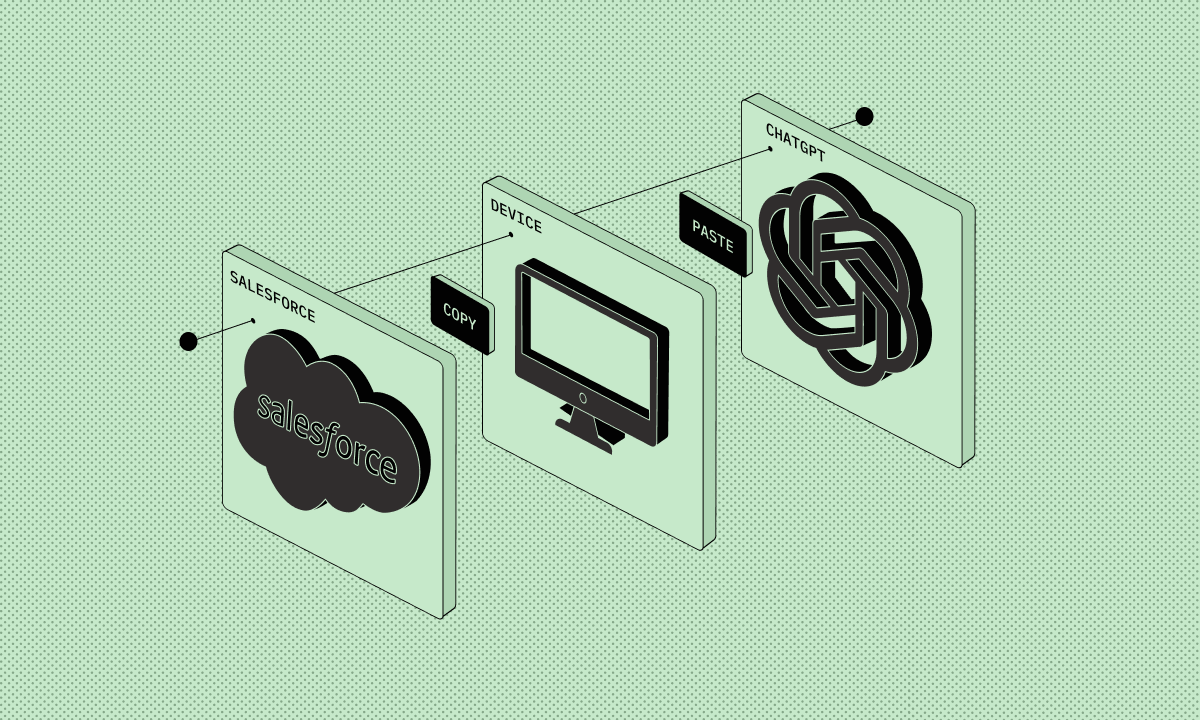
Key Takeaways:
- DLP for ChatGPT stops sensitive data, source code, customer records, and financial models from being sent through a ChatGPT prompt to OpenAI.
- Generic DLP misses it. Legacy tools watch files, email, and the network. ChatGPT is text-pasted into a browser, a surface it was never built to see.
- ChatGPT Enterprise secures the account, not the data an employee types into it. Useful, but it’s not DLP.
- The goal is safe adoption. Let teams use ChatGPT and catch leaks by intent and context. ORION Security covers ChatGPT as both a browser tab and a desktop app, deploys in 30 minutes, and can be taught your company’s own sensitive data types. At one 5,000-employee insurance brokerage, routine review takes approximately two hours a day from one team member.
Enterprise teams want to run on ChatGPT. Marketing drafts with it, engineers debug with it, and finance models with it. For a CISO, whether to allow ChatGPT use is already settled. The open question is how to let people use it while preventing sensitive data loss. ORION Security was built for that question, and this guide covers it.
What Is DLP for ChatGPT?
DLP for ChatGPT is a set of controls that stop sensitive company data from leaving in a ChatGPT prompt. It watches what a person is about to send at the browser or the endpoint, decides whether the content is safe to share, and redacts, warns, or stops it before the text reaches OpenAI’s servers. The aim is to keep teams productive while the data stays in.
The distinction that matters is where the work happens. Old data loss prevention watched the exits: the file transfer, email gateway, USB port. ChatGPT is a different surface; it’s a conversation in a browser tab with a website the company wants people to use. Stopping a leak there means catching the action as it happens, while the data is still in the room.
Why ChatGPT Is the Top Data Leak Vector in Enterprise Teams
ChatGPT is the top data leak vector in enterprise teams because the data leaves as text, not as a file or an email. Someone pastes source code, a customer list, or a financial model into a prompt to move faster. The information reaches OpenAI in seconds, and the controls bought years ago register nothing, because the data doesn’t move through the channels they watch.
This isn’t a hypothetical risk. In 2023, within 20 days of allowing ChatGPT, Samsung was hit with three separate leaks: an engineer pasted source code to fix a bug, another fed in internal meeting notes, and a third uploaded a chip-test sequence. Samsung banned the tool outright. Most enterprises since have chosen the harder path: keep the productivity, control the leak.
Every CISO already knows this is happening inside their own walls. They know engineers paste secrets, support staff paste customer records, and that shadow AI is everywhere. The part they rarely say aloud is that the controls they own can’t see any of it. The data at risk is consistent: source code, customer records and PII, financial models, internal strategy and deal documents, and HR files. None of it leaves as an attachment, which is exactly why it slips through.
5 Ways Enterprise Data Leaks Through ChatGPT
Enterprise data leaks into ChatGPT in a handful of repeatable ways. An engineer pastes source code to debug it. A support agent pastes customer records to draft a reply. An analyst pastes a financial model to summarize it. A manager pastes an internal strategy or deal document to rewrite it. An HR partner pastes employee data to reformat it.
None of these are malicious. They’re accidental exposure by people trying to do their jobs well, which is what makes the pattern so consistent and so hard to fix with awareness alone. The rare malicious insider is the catastrophic tail. The daily volume is ordinary people moving fast, with no control watching the browser.
Why Generic DLP Misses ChatGPT
Generic DLP misses ChatGPT because it was built to watch files, email, and network egress, not text typed into a browser. Its policy model depends on recognizing a pattern set in advance: a credit card number, a document label, a file fingerprint. A paragraph of unreleased strategy pasted into a prompt matches no signature, so it passes straight through.
The category is sound. The policy model underneath it is what failed. Match-a-pattern was always going to lose to read-the-intent once data started leaving as free text. Legacy tools watch the USB port and the mail gateway. A browser session is neither, so a control has to see the action where and when it happens and judge it in real time. That’s a different architecture, and AI is what makes it work, built for this surface from the start.
How ChatGPT DLP Works: Capture, Classify, Act
ChatGPT DLP works in three moves. It captures what a user is about to send, at the browser or the endpoint. It classifies whether the content carries sensitive data. Then it acts on a verdict, by intent and context. The decision happens before the prompt reaches OpenAI.
The act step is where tools separate. Block everything that looks risky and you bury the team in friction, and they move to a personal account where you see nothing. But if the tool can understand intent and context, the user, data type, and destination, you can choose the appropriate action: let it through, coach the user, or stop it outright. Detection is table stakes. The work is in acting precisely, without a person triaging an alert queue.
Does ChatGPT Have DLP Built In?
ChatGPT Enterprise includes real security controls, but not data loss prevention in the sense an enterprise needs. It doesn’t train on your data, and it adds SSO, encryption, admin governance, and retention settings. What it doesn’t do is stop an employee pasting a customer database into a prompt. Its controls protect the account and the tenancy. They don’t protect the data a person chooses to type in.
That distinction decides what you still need. ChatGPT Enterprise secures the platform. It doesn’t secure the behavior, and it only covers ChatGPT. The same employee governed inside ChatGPT Enterprise can open Claude, Gemini, Copilot, or a personal ChatGPT account in the next tab, with none of those controls present. Real ChatGPT DLP works at the surface the person is using, across the AI tools people use, rather than inside one vendor’s walls.
Detection Methods Compared: Browser, API, and Endpoint
Three methods detect ChatGPT data leaks, and each sees a different slice. Browser-level controls watch the tab and see the paste itself. API or network controls inspect traffic to OpenAI and see the request. Endpoint controls run on the device and see local activity. Rely on one and you leave a door open.
Swipe to see the full table →
| Method | What it sees | Strength | Blind spot |
|---|---|---|---|
| Browser-level | The paste or typing inside the ChatGPT tab | Catches the action at the source, before it sends | Misses native desktop apps and unmanaged browsers |
| API / network | Traffic headed to openai.com | Works across devices on the network | Misses content once encrypted, and off-network use |
| Endpoint agent | Activity on the managed device | Broad device visibility | Heavier to deploy, blind to unmanaged devices |
The lesson is that no single surface is enough. A tool that only watches the browser misses the desktop app. A tool that only watches the network misses encrypted traffic. Real ChatGPT DLP combines surfaces, so the paste is caught whether it happens in a managed browser, a desktop app, or a tab the employee opened on their own. ORION Security covers all three: a lightweight sensor on the endpoint, an extension in the browser, and API connections for cloud AI tools. ChatGPT is covered whether an employee runs it as a desktop app or opens it in a browser tab.
What ORION Security Does for ChatGPT
ORION Security makes ChatGPT safe to use rather than something to ban. It gives a security team one place to see data movement into supported AI tools, classify what’s sensitive, and act before a leak leaves, by intent and context. Teams keep using ChatGPT, and the sensitive data stays in.
Underneath, ORION Security treats each monitored action the same way. When data moves, whether it’s a paste into ChatGPT or a file leaving a folder, a set of agents enrich it: they classify the content with language models, trace its full lineage, and read the context around it, who sent it, from where, to where, and whether that’s normal. An analysis agent then returns a verdict in real time: allow it, stop it, or coach the person in the moment. The same engine runs across the AI tools it supports, so ChatGPT, Claude, and Copilot all pass through the identical analysis. The system learns your environment instead of training on your data, and grows more accurate as it goes.
Two capabilities set this apart for ChatGPT. The first is custom classification: ORION Security can be taught what your organization treats as sensitive, even when it isn’t a standard pattern. An airline customer needed frequent flyer numbers recognized as protected data, something a generic classifier would never flag. The second is policy flexibility: you can start without writing a single policy, then build them on top of the AI’s classification when you want to, for example a hard rule that one specific file type can never leave the company.
The outcomes a CISO feels are visibility, adoption, and quiet. Security teams see the data movement ORION Security observes in one place, so an event can be followed from the person who touched a file to where it went. We finally know what’s happening with our data is the line customers reach for. HR, finance, and engineering use ChatGPT on real work without the security team holding its breath. And precise detection cuts the false-positive load instead of feeding it: one ORION Security customer saw false positives fall from 10,000 a week to under 100. This is a data-loss problem with a new surface. Solve DLP properly and the AI exposure is solved with it.
What Securing ChatGPT Looks Like in Practice
ORION Security covers the common ways data leaves through ChatGPT, because it watches data movement across the browser, the endpoint, and supported cloud AI tools through one engine. A paste, an upload, or a file leaving a folder all run through the same path, so coverage isn’t limited to a short list of pre-set scenarios.
The common ones are easy to picture. An engineer pastes source code to debug it. A support agent pastes customer records to draft a reply. A finance analyst pastes a model full of regulated figures. An employee drops confidential information into a personal ChatGPT account the company never sanctioned. Each runs through the same analysis and the same verdict: allow it, stop it, or coach the person in the moment.
Two customers show it working. At a U.S. mortgage servicer, engineers were using AI assistants with no view into what was being sent. ORION Security gave the security team that visibility and caught sensitive code before it left, and adoption became an enablement story instead of a quiet risk. At a U.S. insurance brokerage with 5,000 employees, routine review in the ORION Security dashboard takes approximately two hours a day from one team member.
Setup and Integration Requirements
Agentic DLP for ChatGPT runs light. ORION Security deploys in 30 minutes, the same across the browser, the endpoint, and cloud AI tools. It starts working without a six-month policy-building project: you connect it, and it begins seeing data movement straight away.
Ask any vendor three questions. Which surfaces does it cover, browser, endpoint, and SaaS, or only one. How long until it sees real AI traffic, 30 minutes or six months. And how many people does it take to run. Legacy DLP earned its reputation by failing all three: a dedicated team, a long rollout, and a browser it still couldn’t see. At one insurance brokerage, ORION Security review takes approximately two hours a day from one team member.
ChatGPT DLP Best Practices
The best practice for ChatGPT is to allow it with guardrails instead of banning it. Deploy detection at the surface where the paste happens, set policy by data type and intent, cover every AI tool your teams touch, and coach employees the moment they’re about to cross a line.
Bans backfire. As one security leader put it, you can’t dam a river, the water finds another way. Block ChatGPT outright and usage moves to personal accounts where you have zero visibility, which is worse than the problem you started with.
Compliance follows from getting this right. A working ChatGPT DLP program keeps GDPR, HIPAA, and CCPA obligations intact, because the regulated data that would trigger a violation never reaches a third-party model. Treat compliance as the downstream benefit of stopping loss. Protect the data first, and the audit takes care of itself.
Frequently Asked Questions
Does ChatGPT have DLP built in?
No. ChatGPT Enterprise adds account-level controls such as SSO, encryption, no training on your data, and admin governance, but it doesn’t stop an employee pasting sensitive data into a prompt. That requires dedicated ChatGPT DLP at the browser or endpoint.
Can DLP block data from being submitted to ChatGPT?
Yes. ChatGPT DLP can redact the sensitive part of a prompt, warn the user, or stop the submission before it reaches OpenAI. A precise tool chooses the action by intent and context, so most work is never interrupted.
What is the difference between traditional DLP and ChatGPT DLP?
Traditional DLP watches files, email, and network egress for known patterns. ChatGPT DLP watches the browser and endpoint for sensitive text typed or pasted into a prompt and decides in real time, a surface and a moment legacy tools were never built to see.
What types of data are most at risk in ChatGPT?
Source code, customer records and PII, financial models, internal strategy and deal documents, and HR files. All of it leaves as text rather than as an attachment, which is why it slips past older controls.
How does ChatGPT DLP handle GDPR and HIPAA?
By keeping regulated data from reaching a third-party model at all. If a customer record or patient detail is redacted or blocked before it leaves, the exposure that would breach GDPR or HIPAA never occurs.
Does securing ChatGPT mean blocking it?
No. The goal is safe adoption. Blocking pushes employees onto personal accounts with zero visibility. Good ChatGPT DLP lets teams keep using the tool while sensitive data is caught before it leaves.
Can security teams see what employees paste into ChatGPT?
Yes, with browser or endpoint-level ChatGPT DLP. Security teams get visibility into what data is moving into AI tools and can follow any event back to the user, the data, and the destination.
Welcome to our DLP for AI blog series. Read the other posts in the series: DLP for Claude, DLP for Google Gemini, DLP for Microsoft 365 Copilot, and DLP for AI Agents.
ORION Security is agentic DLP, designed to prevent data loss in the AI era. It deploys in 30 minutes and returns a verdict on data movement across supported channels in real time: allow, stop, or coach. Request a demo.