DLP for Gemini: Preventing Data Leaks in Google’s AI Assistant
DLP for Gemini stops confidential data from leaving in a prompt or Drive file reference, covering work and personal Gemini accounts with real-time prevention.

Key Takeaways:
- DLP for Gemini stops confidential data, regulated records, and strategy documents from leaving in a prompt, upload, or referenced Drive file before they reach Gemini.
- Gemini lives inside Google Workspace, making sensitive internal content just one click away from a prompt.
- Google’s enterprise protections are real. Workspace prompts stay in your domain and never train models outside it. But those controls govern what happens inside Google’s walls, and they read patterns, not intent.
- ORION Security covers Gemini in the browser across work and personal accounts, deploys in 30 minutes, and reads intent and context to allow, stop, or coach in real time. One customer runs the whole program with one person, less than two hours a day.
Enterprise teams want to run on Gemini. It drafts in Docs, summarizes threads in Gmail, answers questions over Drive, and since most of the company already lives in Workspace, adoption is less a rollout than a switch flipped on. For a CISO, that’s the appeal and the exposure in a single sentence: the work data and the AI now sit in the same place. ORION Security makes that arrangement safe, and this guide covers how.
What Is DLP for Gemini?
DLP for Gemini is a set of controls that stop confidential company data from leaving in a Gemini prompt, upload, or file reference. It watches what a person is about to send, in the browser or at the endpoint, judges whether the content is safe to share, and stops or coaches the user before the data reaches Gemini.
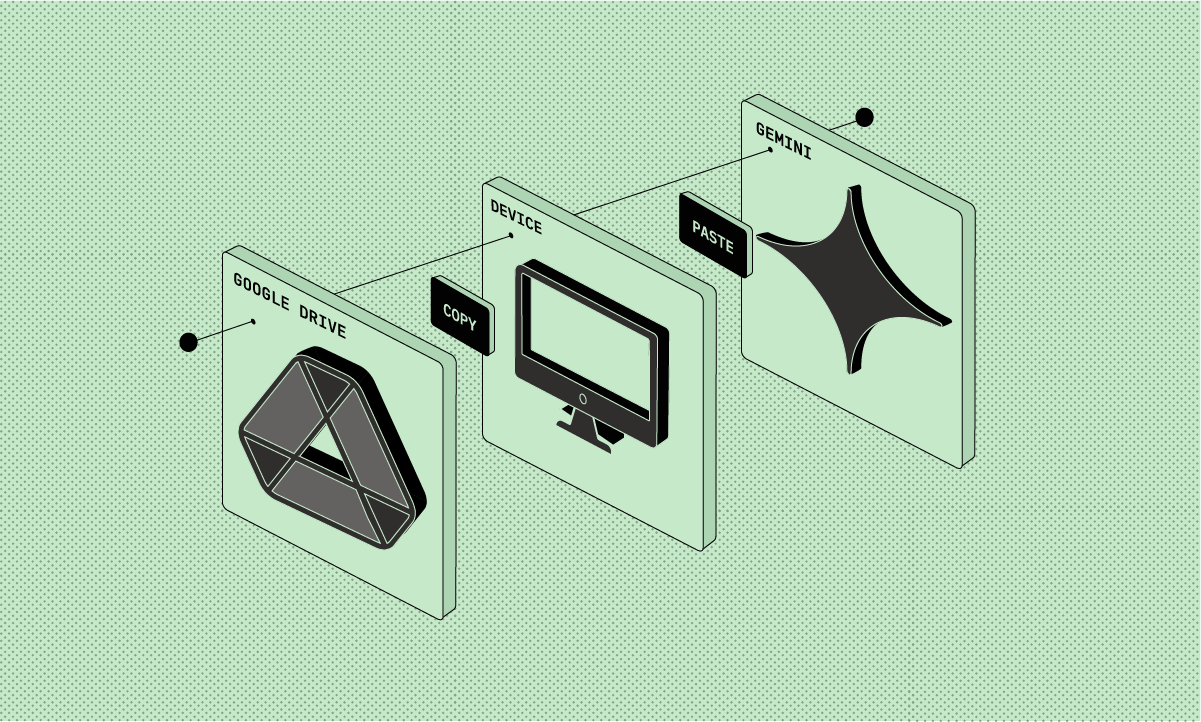
What makes this its own job, rather than a feature you already own, is Gemini’s position. Other AI assistants are destinations an employee travels to. Gemini is built into the place where a company’s documents, mail, and files already live. The distance between a sensitive file and an AI prompt has never been shorter.
Why Gemini Is a Different Data-Loss Problem: It Lives Inside Google Workspace
Gemini carries a distinct risk profile because of where it sits. In a company using Workspace, Gemini appears in Gmail, Docs, Sheets, and Drive, plus the standalone Gemini app in a browser tab. The data it touches was already open: the document an employee was editing, the thread they were answering, the file they had just shared.
That proximity changes the math. Pasting a contract into a standalone chatbot takes a decision. But pulling a Drive file into a Gemini prompt takes a click, inside the same window, in the middle of normal work.
An analyst building a board deck, a recruiter cleaning up offer letters, a finance manager reconciling a quarter: each of them now works one gesture away from an AI assistant.
And the same browser often holds two versions of Gemini: The work account, governed by the company’s Workspace terms, and a personal account, governed by consumer terms. The boundary between sanctioned AI use and ungoverned AI use is an account switcher in the top-right corner of the screen.
The 5 Ways Enterprise Data Leaks Through Gemini
Enterprise data leaves through Gemini in a handful of repeatable ways, and almost none of them are malicious. The common thread is convenience: the data was already open, the assistant was already there, and nothing was watching the moment the two met.
Typical scenarios include the long-document paste, where a contract or strategy memo goes in for rewriting; the Drive file reference, where a sensitive document gets pulled into a prompt because Workspace makes that effortless; the regulated record, where PHI or financial data goes in to be summarized; the deal document, where unreleased material goes in for redrafting; and the personal account, where company work happens in a consumer Gemini tab.
The personal account deserves the most attention, because the terms change completely. On consumer Gemini, saved chats can be reviewed by trained human reviewers to improve Google’s AI, and reviewed conversations are retained for up to three years, disconnected from the account, even if the employee deletes their activity, per the Gemini Apps Privacy Hub. The most casual use of Gemini is the least protected, and it looks identical in the browser.
Does Gemini Have DLP Built In? Google’s Native Controls, and Where They Stop
Partly, and let’s give credit where it’s due. Google gives Workspace customers real protections: prompts stay in your domain, never train models outside it, and aren’t reviewed by humans. Rights-management controls hide protected files from Gemini, client-side encryption locks it out entirely, and Chrome Enterprise Premium extends endpoint DLP rules to the Gemini app.
The detail is worth knowing. Per the Workspace generative AI Privacy Hub, enterprise prompts stay inside the organization. When a DLP rule applies rights-management controls to a file, Gemini won’t retrieve it to generate an answer, and client-side encrypted data is indecipherable to Gemini altogether, per Google’s own enterprise security controls guide. With a Chrome Enterprise Premium license on top, admins can apply copy-paste controls, PII masking, and screenshot protection to the Gemini app in the browser. A Workspace-heavy company should turn all of this on.
Then look at what every one of those controls has in common. They’re rules.
Detection runs on predefined detectors, labels, and copy-paste policies: card numbers, ID formats, data types someone classified in advance. A pasted acquisition memo or a customer list in free text matches none of them. And a rule decides by category, set months earlier, while the decision a security team actually needs is about intent in the moment: this content, person, and destination, right now. Nothing in the native Google stack asks that question.
The scope is also Google. The personal Gemini account on the same machine sits outside the domain entirely, outside Chrome Enterprise management on an unmanaged device, and so does ChatGPT in the next tab.
Swipe to see the full table →
These solve different problems, and they work better together. Google’s controls govern what happens inside Workspace, and they do that well. ORION Security works one step earlier, at the surface where the paste or the file reference happens, and stops the leak before the data moves at all.
What ORION Security Does for Gemini
ORION Security makes Gemini safe to adopt rather than something to fence off. It gives a security team one place to see all data movement into Gemini and every other AI tool, classify what’s sensitive, and act before a leak leaves, by intent and context. Teams keep working in Workspace, and the data stays in.
Underneath, agentic DLP does the work: a set of agents enrich every action the same way. They classify the content with language models, trace where it came from, and read the context around it: who’s sending it, from which account, and whether that’s normal for them. The same engine runs across every AI tool, so Gemini, ChatGPT, Claude, and Copilot all pass through one analysis. The system learns your environment as it goes and isn’t trained on your data.
Two capabilities matter most on this surface. ORION Security can be taught what your organization treats as sensitive, even when it isn’t a standard pattern, so the data types Workspace detectors wave through get caught. And precision cuts noise instead of adding to it. One ORION Security customer saw false positives fall from 10,000 a week to under 100.
Coverage Across Gemini Surfaces: Workspace, the Gemini App, and the API
Securing Gemini means covering every door it opens: the side panels inside Gmail, Docs, and Drive, the standalone Gemini app on both work and personal accounts, and developer traffic heading to the Gemini API. One engine, one verdict path, across all of them.
The account is the detail most programs miss. Google now sells consumer Gemini through Google AI Plus, Pro, and Ultra subscriptions, and an employee with a personal Pro plan gets a capable assistant on consumer terms. The product looks the same. The data handling doesn’t. A control on this surface has to read which account the data is leaving toward, then respond to the difference: allow the work account, coach, or stop the paste into the personal one.
Developer traffic deserves the same eye. Engineers wiring the Gemini API into internal tools move test data, configuration, and sometimes live records through code rather than a chat window. Google offers builders a DLP screening step that can redact known patterns from prompts before they reach the model, and teams building on Gemini should use it. It carries the limits of every pattern engine, and a developer has to wire it in. The traffic nobody routed through it stays unseen.
What Securing Gemini Looks Like in Practice
Securing Gemini means watching every way data can move through it under one engine, so a paste, a file reference, and a personal-account session all run through the same analysis and the same choice: allow it, stop it, or coach the person in the moment.
The common cases are easy to picture. A finance manager asks Gemini to summarize a quarter of regulated numbers. A recruiter redrafts an offer letter holding salary data. An analyst pulls a board deck from Drive into a prompt. An employee finishes a report at home in a personal Gemini tab. Each is a person moving fast, and each gets a verdict before the data leaves. A U.S. insurance brokerage runs its entire program this way with one person, less than two hours a day, where its old DLP needed a dedicated team and still couldn’t see the browser.
Setup and Integration Requirements
Gemini DLP should run light. ORION Security deploys the same way across the browser, the endpoint, and cloud AI tools, and it starts seeing data movement without a six-month policy build. Where Workspace DLP and Google’s rights-management controls are already on, ORION Security adds the real-time prevention those controls were never built to provide.
Ask any vendor three questions. Which surfaces does it cover: the Workspace side panels, the standalone app, personal accounts, or only one of them. How long until it sees real Gemini traffic, an afternoon or two quarters. And how many people does it take to run. The answers separate a control from a project. When you want them on your own data instead of a vendor page, we can show you: ORION Security deploys in 30 minutes, and one day of real Gemini activity settles the rest.
Frequently Asked Questions
Does Google train its models on our Gemini prompts?
Not on Workspace accounts. Google commits that enterprise prompts stay in your domain, aren’t used to train models outside it, and aren’t reviewed by humans. Personal Gemini accounts run on consumer terms, where saved chats can be reviewed by humans and retained for up to three years.
Can DLP block data from being submitted to Gemini?
Yes. Gemini DLP can stop a risky submission, redact the sensitive part, or coach the user before the content reaches Google. A precise tool chooses the lightest action by intent and context, so most work is never interrupted.
What about employees using a personal Gemini account at work?
That’s the case to plan for, because consumer terms are the least protective and the product looks identical. ORION Security reads which account a paste is heading toward and can allow the work account while coaching or stopping the personal one.
Can security teams see what employees send to Gemini?
Yes, with the right control in place. On work accounts, Google offers audit logs and Vault coverage for Gemini activity, which is a record after the fact. ORION Security sees the data movement itself in real time, across work and personal accounts, and acts before the data leaves rather than reporting on it afterward.
Does securing Gemini mean blocking it?
No. The goal is safe adoption. Blocking pushes employees onto personal accounts with zero visibility, which is worse than where you started. Good Gemini DLP lets teams keep using the assistant while confidential data gets caught before it leaves.
Is Gemini safe for regulated industries?
With surface-level DLP in place, yes. Finance, healthcare, and legal teams work in Workspace all day, and Gemini is useful precisely because it sits next to that work. A control that reads each action keeps regulated records from leaving while the work carries on.
Welcome to our DLP for AI blog series. Read posts on DLP for ChatGPT , DLP for Claude, and DLP for AI Agents.
ORION Security is agentic DLP, designed to prevent data loss in the AI era. It deploys in 30 minutes and returns a verdict on every data movement in real time: allow, stop, or coach. Request a demo.
.png)